End of Video Distractions? YouTube Launches Hide Button for Suggestions
YouTube introduces a new “Hide” button allowing viewers to dismiss end-screen video suggestions, improving user experience by reducing distractions while preserving creator promotion options.
 Sandhya
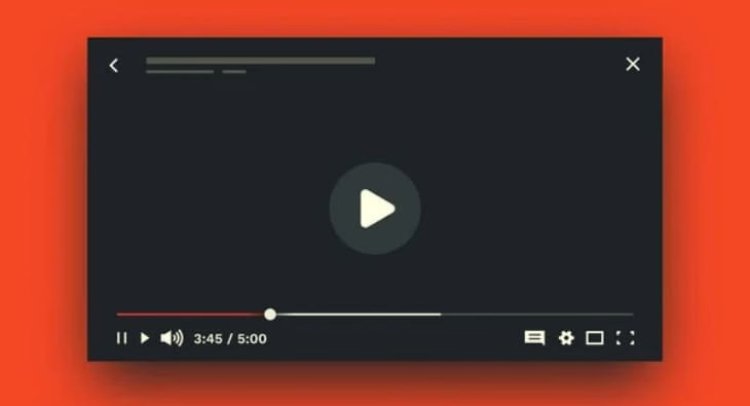
If there is one feature on YouTube that has long vexed its millions of users, it’s the end-screen recommendations that pop up right when the content is about to wrap. These overlays, filled with video suggestions, channel watermarks, and subscribe prompts, often block important final moments, interrupting the flow and pulling attention away. But now, YouTube has heard its community- even those small feels of irritation can add up- and rolled out a compelling new fix: the “Hide” button.
Why This “Hide” Button Matters So Much
For years, creators have used end screens to promote their other videos, playlists, and encourage subscriptions. While this proved invaluable for growing channels, casual viewers frequently found the experience disruptive. The pop-ups would cover up crucial visual or audio cues at the end or simply clutter the screen at a time when users just wanted to enjoy and maybe breathe after the content. The new “Hide” button changes this dynamic by empowering viewers: with one tap, those overlays can be dismissed entirely for the current video, letting the final frames unfold clean and uninterrupted.
Imagine watching a heartfelt moment in a documentary, a plot twist in a short film, or the last punchline in a comedy sketch without distraction. This small but mighty toggle restores control to the viewer, respecting their attention and time without bulldozing the creator’s marketing tools.
How It Works: Simple, Yet Effective
When the end screen pops up, users will notice a discreet “Hide” button in the upper-right corner of the video player. Tap it, and all interactive elements- video suggestions, playlist links, subscribe buttons- vanish instantly for that video session. Should curiosity strike, a “Show” button lets users bring the overlays back. But importantly, this toggle applies only to the video currently being watched. So if you want a distraction-free ending on the next video, you’ll need to repeat the process.
What Creators Should Know
This update understandably raised questions among creators worried about diminished engagement. However, YouTube’s internal experimentation has put many concerns to rest. The company found a negligible impact on engagement metrics: enabling the hide button caused less than a 1.5% drop in views derived from end screens. Even more reassuringly, YouTube removed the subscribe pop-up that appeared when hovering over channel watermarks on desktop, citing its minuscule contribution to subscriptions- under 0.05%- and a desire to declutter without hurting growth.
Creators still retain full freedom to add end screens and watermarks. The feature simply allows viewers a moment of quiet appreciation before being re-engaged by suggestions. This balance strikes a middle ground between promoting content and respecting viewer focus, underscoring YouTube’s commitment to community feedback.
What This Means for Viewers
For the everyday viewer, this marks a new dawn of control and delight. No longer captive to pop-ups, YouTube watching becomes a more immersive, less fragmented experience. At the same time, viewers can still explore recommended content when they want- it’s no forced engagement, just an option to tune out distraction when preferred.
A subset of users long demanded this feature. Whether you watch tutorials, music videos, gaming streams, or trending vlog content, now the choice to dismiss end screens lies at your fingertips.
YouTube’s Bigger Vision: Cleaner, More Respectful User Experience
This “Hide” button isn’t an isolated change but part of a broader philosophy. YouTube is increasingly prioritizing streamlined, intuitive interfaces that cater to both creators and consumers without overwhelming either. Removing redundant elements like the hover-to-subscribe watermark and launching user-driven toggles reflect a shift toward simplicity, clarity, and respect- values increasingly vital in today’s saturated digital world.
Looking Ahead
Though the feature works video-by-video now, it paves the way for future customizations. It wouldn’t be surprising if YouTube evolves it into a setting that remembers preferences or integrates more personalized controls. Listening to user feedback will remain at the core of these ongoing improvements, ensuring YouTube stays both a treasure trove for creators and a joy for viewers.
Conclusion: The Small Change That Makes a Big Difference
Sometimes, the smallest controls offer the biggest relief. YouTube’s new “Hide” button transforms how viewers experience the often-frustrating ending moments of videos. It proves that even in a platform as enormous as YouTube, nuanced listening to users can lead to meaningful, human-centered changes- helping content shine in its purest form while supporting creators on the side. That final video frame, now unobstructed, is a win for everyone.
This update reflects YouTube’s evolving ecosystem where audience satisfaction meets creator support, where respect for users’ choices creates a healthier content environment, and where viewing pleasure gets put front and center.